How do I add a new clinician or healthcare worker?
Add nurses, physicians, aides, and therapists to your agency with clinical roles, hourly compensation rates, and facility assignments.
What You Need Before Starting
- Basic worker details (Full Name, Email, Phone, Clinical License).
Step-by-Step Instructions
Launch the Add Staff Modal
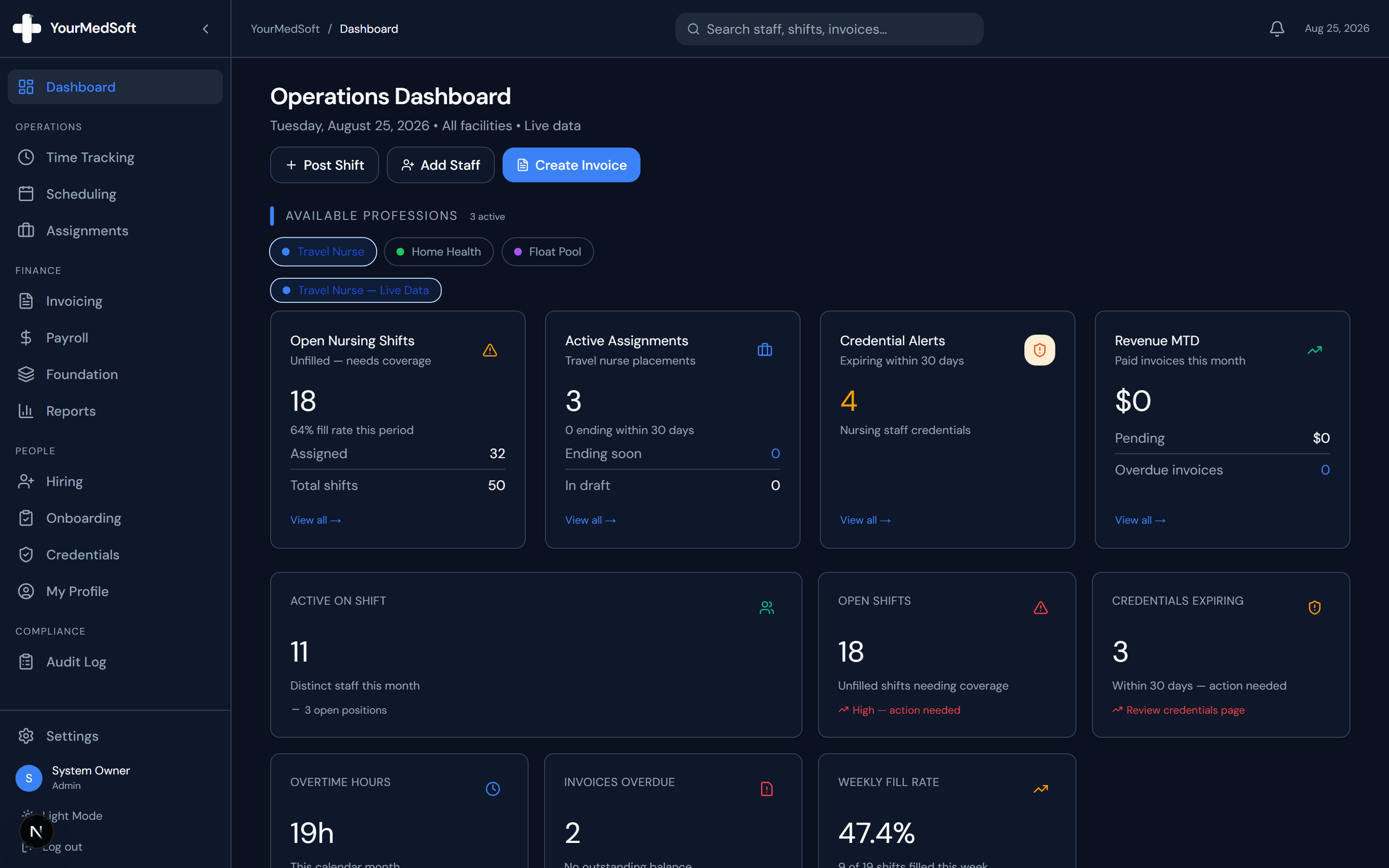
From your main Operations Dashboard, click the "+ Add Staff" quick action button in the header.
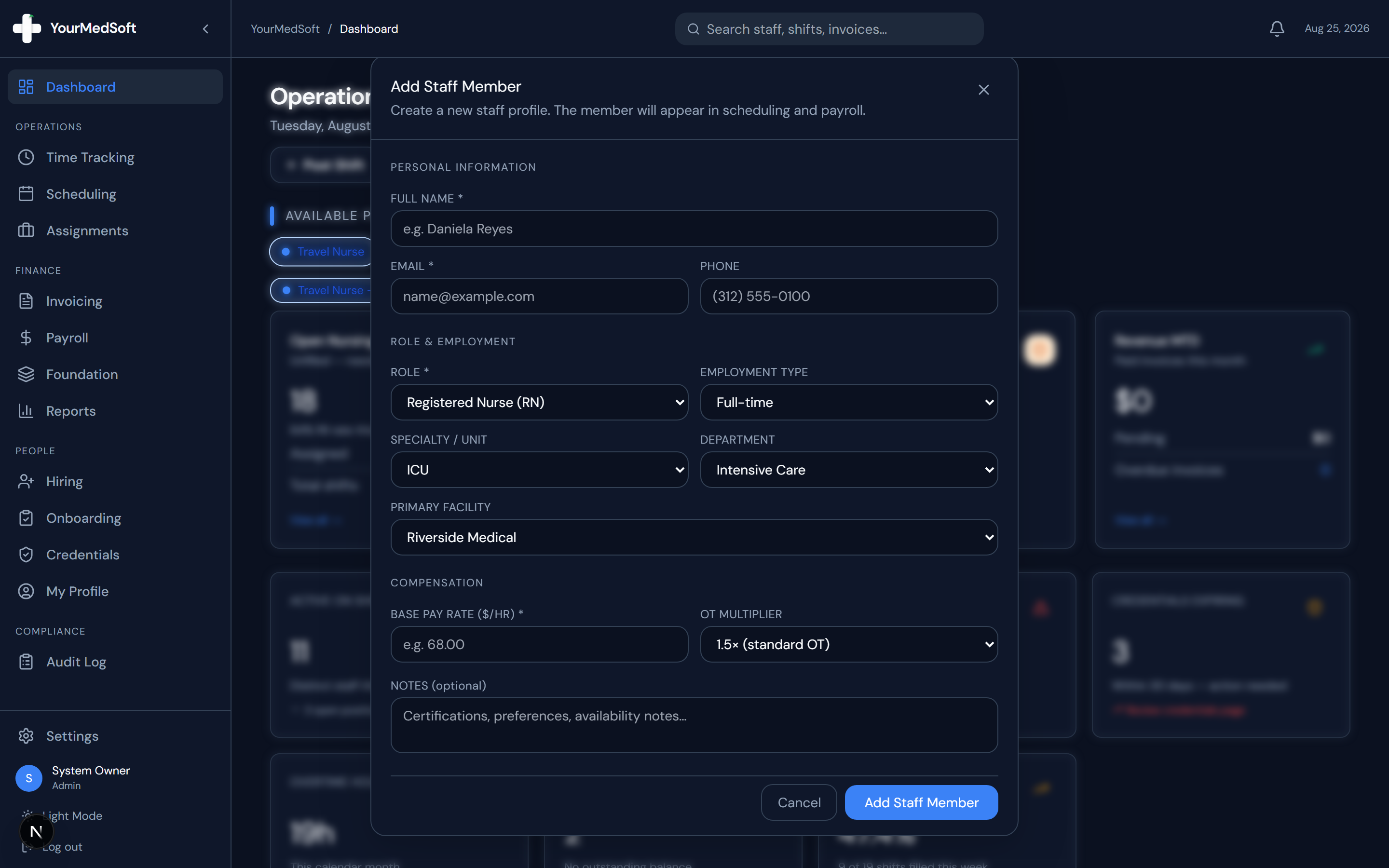
Add Staff Member modal with personal info, license classification, and compensation fields.
Enter Personal Information
Fill in the worker’s Full Name, Email Address, and Phone Number.
Assign Clinical Role & Employment Type
Select their Role (RN, CNA, LPN, NP, MD), Employment Type (Full-time, Part-time, Contract, Per Diem, Travel), Specialty (e.g., ICU), and Department.
Select Primary Facility
Choose the primary hospital or clinic facility where this clinician will primarily be stationed.
Set Compensation Rates
Enter the Base Pay Rate ($/hr) and select the Overtime Multiplier (1.0x straight time, 1.5x standard OT, or 2.0x double time).
Submit Profile
Click "Add Staff Member". The clinician is instantly created and appears on scheduling calendars and payroll calculations.
Pro-Tips & Best Practices
- Entering an accurate email address allows you to invite the clinician to the mobile portal to view shifts and clock in.
Frequently Asked Questions & Troubleshooting
Can I add workers who work across multiple specialties?
Yes. You can assign a primary specialty upon creation and schedule them across other units in the scheduling calendar.
Was this guide helpful?
Your feedback helps us continuously improve our documentation.