How do I create a long-term assignment or travel contract?
Set up multi-week placements, override default hourly pay/bill rates, configure weekly housing stipends, and record daily per diem allowances.
What You Need Before Starting
- The clinician, facility, and client company must already be created in the system.
Step-by-Step Instructions
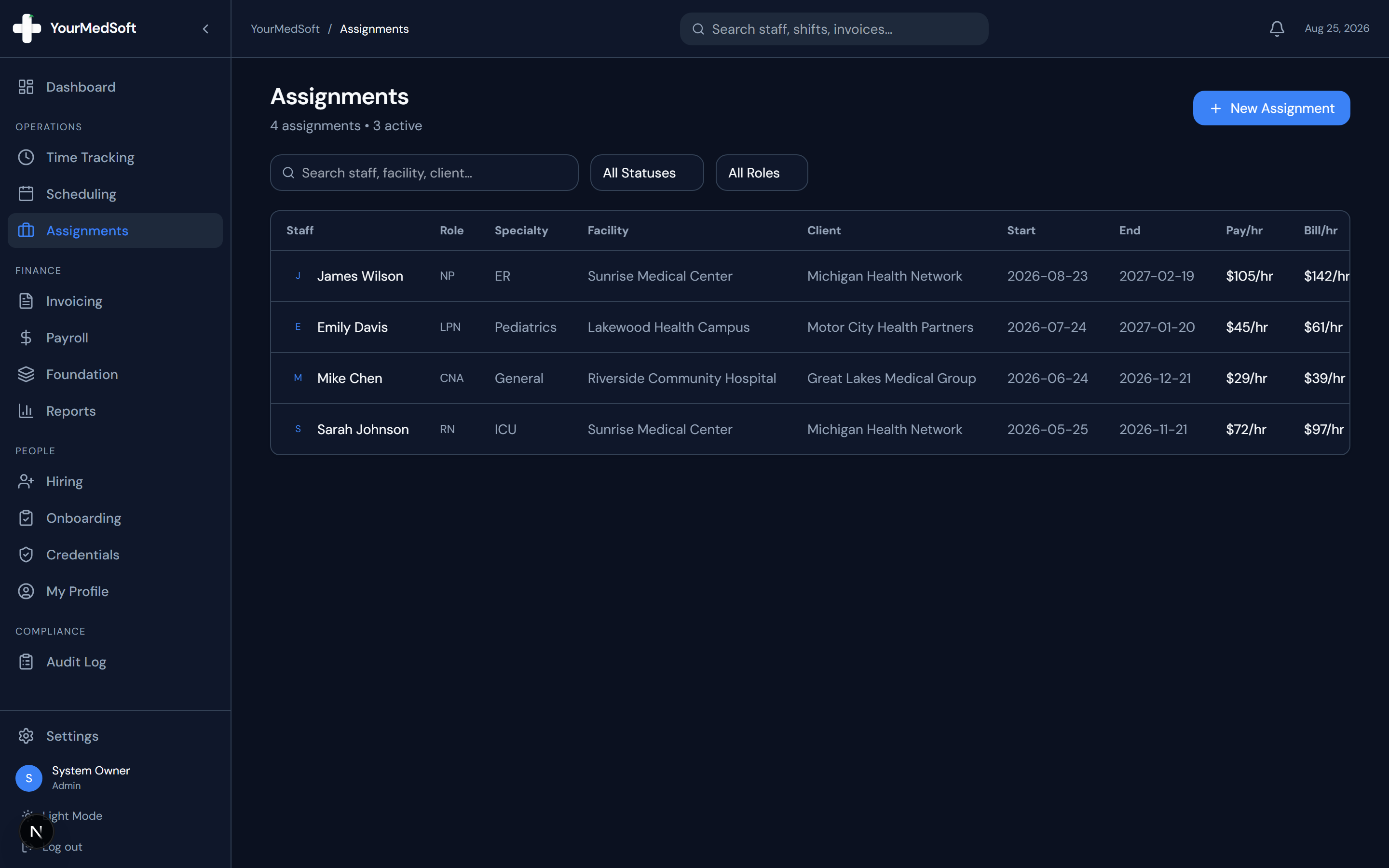
Navigate to Assignments
Click "Assignments" in the left sidebar menu to open the contract placements dashboard.
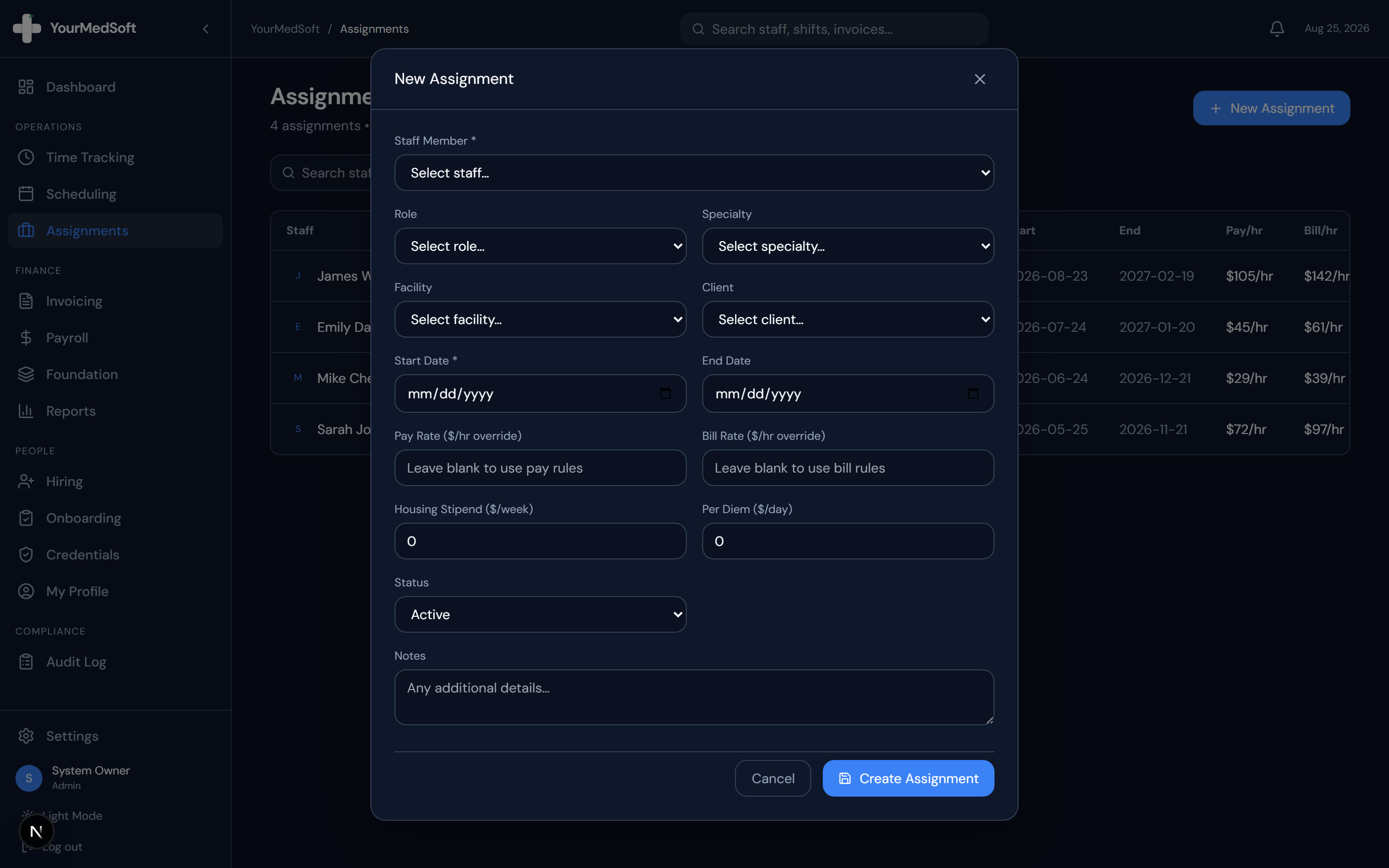
Assignments manager and multi-week travel contract placement builder.
Open the New Assignment Modal
Click the "+ New Assignment" button in the upper right corner.
Select Staff, Role, and Location
Choose the staff member, clinical role, specialty, facility, and client from the structured dropdowns.
Enter Placement Dates
Select the Start Date and optional End Date for the contract period (e.g., standard 13-week travel contract).
Configure Compensation Overrides & Stipends
Optionally enter custom hourly Pay Rate and Bill Rate overrides. If this is a travel contract, specify the weekly Housing Stipend and daily Per Diem rate.
Set Status and Save
Choose "Active" (or "Draft" if pending signatures) and click "Create Assignment".
Pro-Tips & Best Practices
- Leaving the pay or bill rate blank instructs the system to automatically fall back to the standard Pay and Bill Rules configured in Foundation.
- Contracts with end dates within 14 days display a warning icon to prompt your team to initiate renewal discussions.
Frequently Asked Questions & Troubleshooting
How do assignments connect to daily shifts?
When posting daily shifts in the Scheduling module, linking the shift to an active assignment automatically pre-fills all rates and worker details.
Was this guide helpful?
Your feedback helps us continuously improve our documentation.