How do I customize agency branding and active healthcare verticals?
Upload your agency logo, set timezones, and enable industry vertical widgets (Travel Nurse, Home Health, Locums, Float Pool, LTC/SNF, Therapy, Urgent Care, Behavioral Health, Telehealth).
What You Need Before Starting
- Organization Admin permissions.
Step-by-Step Instructions
Open Organization Settings
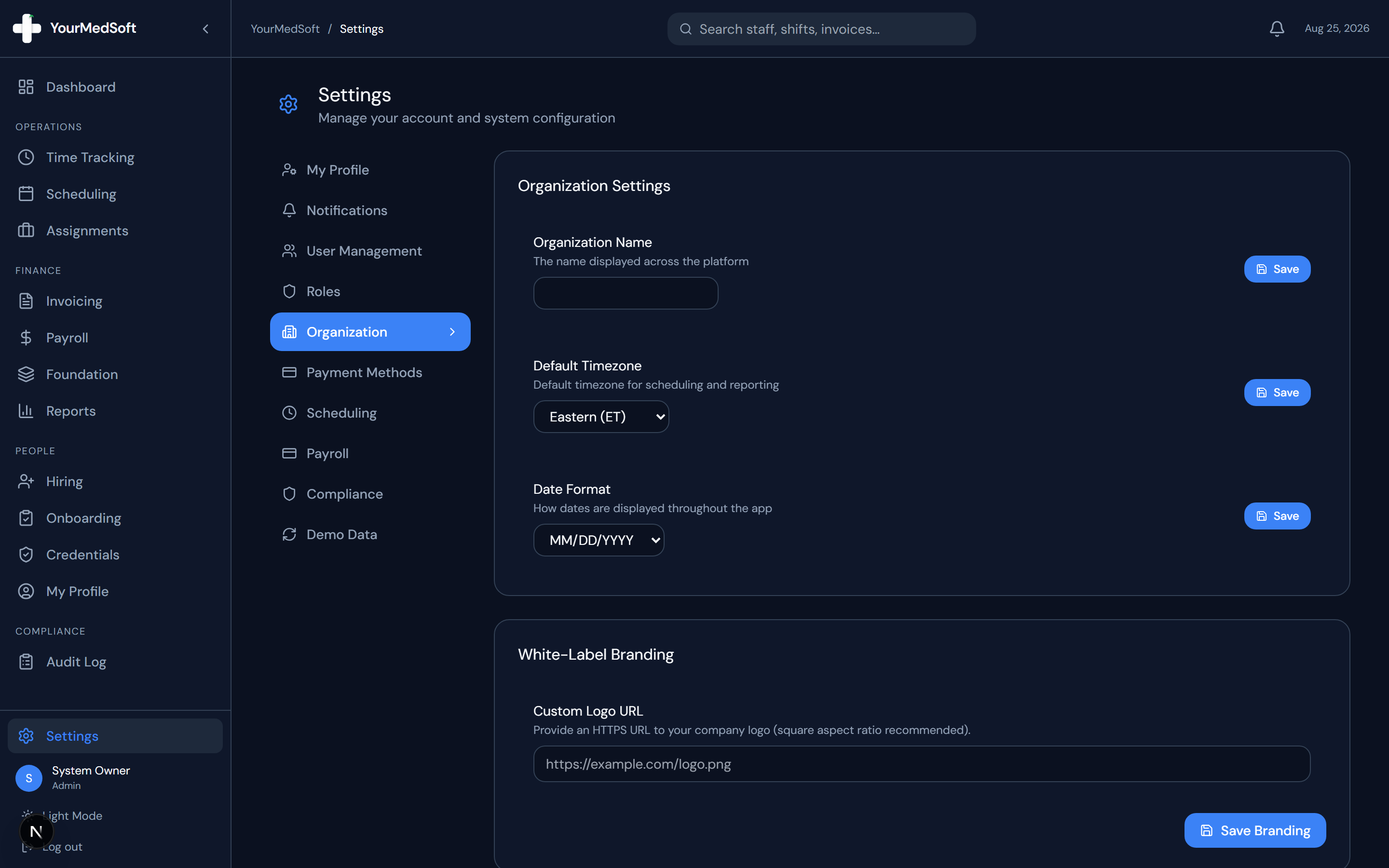
Go to Settings > Organization tab.
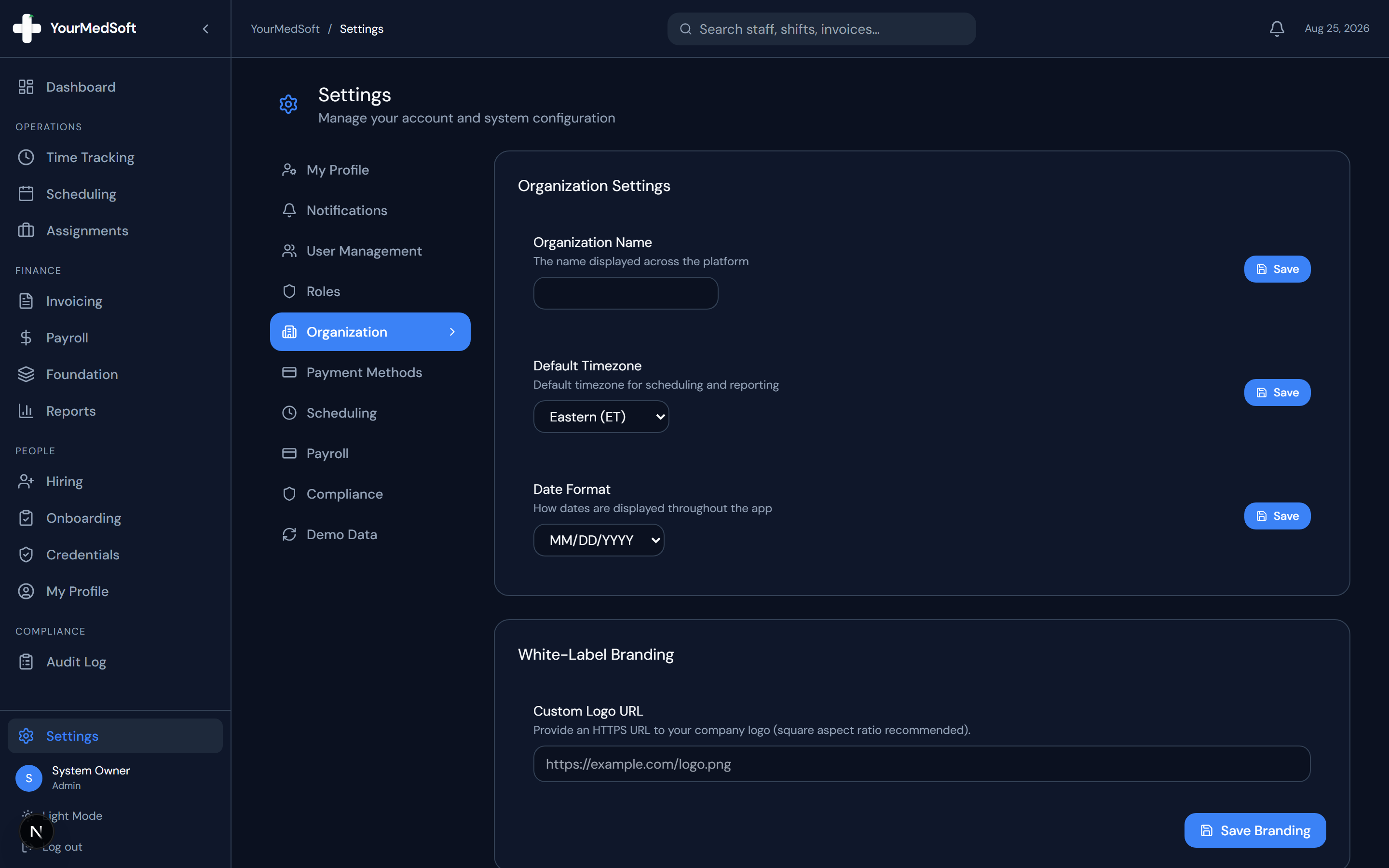
Organization settings with agency logo, timezones, and active healthcare vertical selectors.
Upload Agency Logo
Under Branding Settings, upload your agency logo (PNG or SVG). This logo appears in the top navigation bar, public job boards, and printed audit reports.
Set Timezone and Date Formats
Select your primary operational timezone (e.g., America/New_York) and preferred date formatting.
Enable Healthcare Verticals
In the "Active Verticals" switcher, toggle the sectors your agency serves (e.g., Travel Nurse, Home Health, Long-Term Care, Therapy, Behavioral Health).
Save Settings
Click "Save". Your Operations Dashboard immediately reconfigures to display live specialized KPI widgets for each enabled vertical.
Pro-Tips & Best Practices
- Enabling only your relevant verticals keeps your dashboard clean and focused on your core staffing lines.
Frequently Asked Questions & Troubleshooting
Can we expand into new verticals later?
Yes. You can toggle additional vertical markets on or off at any time without affecting existing data.
Was this guide helpful?
Your feedback helps us continuously improve our documentation.