How do I broadcast high-priority open shifts to available staff?
Send targeted high-priority push notifications and SMS alerts to compliant clinicians to fill urgent shifts in minutes.
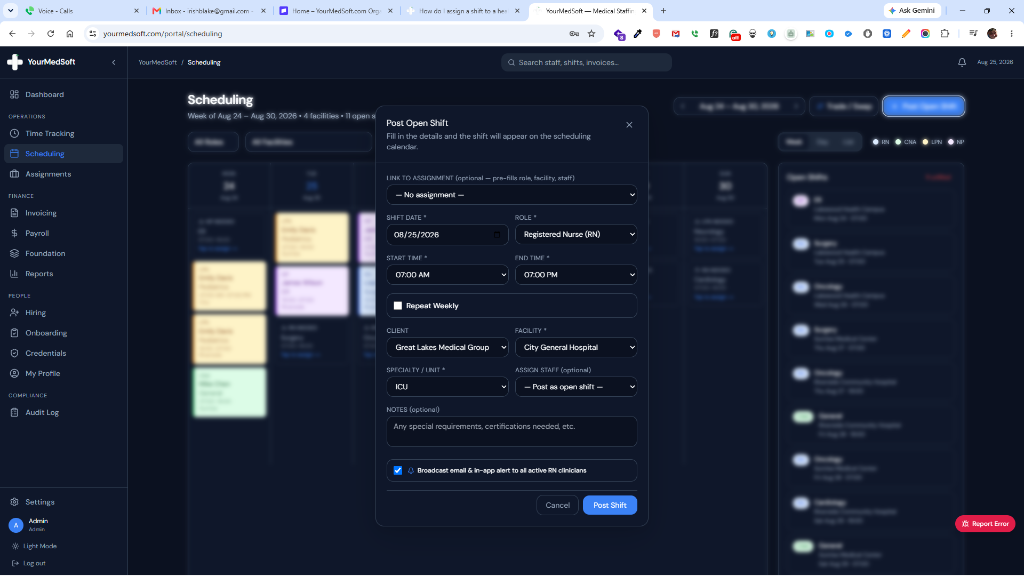
To broadcast urgent shifts in YourMedSoft, open the unfilled shift card, click Broadcast Shift, filter the recipient pool by specialty and compliance status, and choose Instant SMS & Push Alert. Clinicians tap the incoming alert to review and claim the shift in under 90 seconds.
What You Need Before Starting
- SMS messaging gateway must be active in agency settings.
- Target clinicians must have registered mobile phone numbers and verified licenses.
Clinical & Regulatory Compliance Standards
- TCPA compliant opt-in and opt-out messaging protocols for commercial automated texting.
Step-by-Step Instructions
Open the Unfilled Shift Card
Navigate to Scheduling, locate the open shift card, and click the "Broadcast" icon.
Filter Eligible Recipient Pool
Filter recipients by specialty role, active credential compliance score (100%), and geographical radius from the facility.
Tired of Manual Shift Texts & Phone Trees?
YourMedSoft broadcasts open shifts to hundreds of pre-vetted, compliant nurses in under 60 seconds. Eliminate double-booking and fill vacancies instantly.
Include Incentive or Surge Rate (Optional)
If offering a surge bonus or crisis rate, enter the bonus amount in the surge pay field.
Dispatch Instant Broadcast
Click "Send Broadcast Alert". Clinicians receive an instant push notification and SMS with a direct claim link.
Pro-Tips & Best Practices
- Broadcasting only to 100% compliant staff prevents frustrating claim rejections.
- First-to-claim mode auto-assigns the shift the second the first clinician accepts.
Troubleshooting & Operational Edge Cases
Issue: Broadcast SMS not delivering to certain clinicians
Operational Resolution: Check if the clinician has a valid cellular number or previously opted out via carrier stop reply.
Frequently Asked Questions & Troubleshooting
Can clinicians opt out of SMS broadcast alerts?
Yes. Clinicians can manage notification preferences in their mobile portal profile or reply STOP to unsubscribe from automated SMS notifications.
Was this guide helpful?
Your feedback helps us continuously improve our documentation.
Recommended for Shift Scheduling
Travel Nurse Assignment Contract Template
Free 13-week assignment agreement with guaranteed hours clauses and hospital floating policies.
Gross Margin & Spread Modeler
Simulate clinician bill-to-pay spreads, overtime multipliers, and statutory employer payroll burden.
Per Diem Nurse Registry Platform
Broadcast open shifts, eliminate callout delays, and enforce automated credential gates.