How do I set weekend, night, and holiday differential pay multipliers?
Set automated wage differential rules for night shifts, weekend rotations, crisis unit hazard pay, and designated federal holidays.
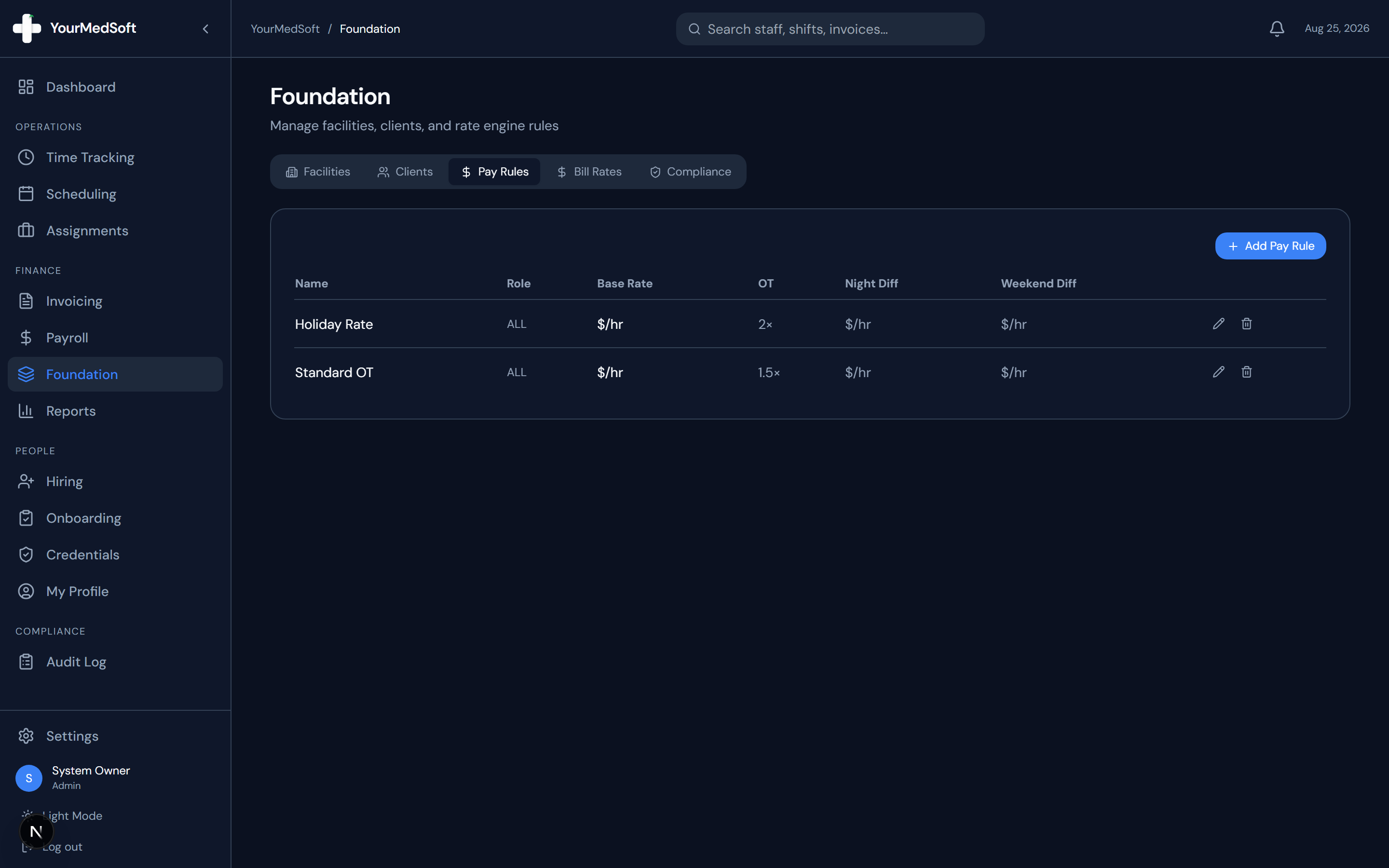
To configure pay differentials in YourMedSoft, navigate to Foundation > Pay Rules > Differentials, define shift premium rules (e.g., +$4.50/hr for Night Shift, +$3.00/hr for Weekend, or 1.5x for Federal Holidays), and link the rule to specific facilities or clinical specialty units.
What You Need Before Starting
- Admin access to Foundation Pay Rules.
Clinical & Regulatory Compliance Standards
- Compliant with FLSA regular rate calculation rules (29 CFR § 778.207) for shift premiums.
Step-by-Step Instructions
Open Differentials Configuration
From Foundation, click "Pay Rules" and select the "Shift Differentials" tab.
Add New Differential Rule
Click "Add Differential" and select rule type: Night (e.g. 19:00 - 07:00), Weekend (Fri 19:00 - Mon 07:00), or Holiday.
Automate Your Healthcare Staffing Operations
YourMedSoft unifies scheduling, GPS time tracking, credentialing, and facility invoicing into one modern platform for healthcare agencies.
Select Calculation Type
Choose between Flat Dollar Add-On (e.g. +$5.00/hr) or Percentage Multiplier (e.g. 1.15x base pay).
Assign to Roles or Facilities
Apply the rule globally across all facilities or restrict it to high-acuity hospital units like ICU or Emergency.
Save and Apply
Save the differential. Hours clocked during these windows automatically accumulate premium pay.
Pro-Tips & Best Practices
- Differentials must be factored into the regular rate of pay when calculating FLSA overtime on 40+ hour weeks.
Troubleshooting & Operational Edge Cases
Issue: Night differential not applying to 8-hour evening shifts
Operational Resolution: Verify the start and end time window defined in the differential rule matches the facility shift schedule.
Frequently Asked Questions & Troubleshooting
Does the system automatically bill the facility client for shift differentials?
Yes. If differential billing is enabled in the facility contract, the corresponding billing multiplier is added to the invoice.
Was this guide helpful?
Your feedback helps us continuously improve our documentation.
Recommended for Payroll & Deductions
Nurse Meal Break Waiver & Attestation Form
Ensure compliance with state labor laws and prevent unbudgeted meal penalty hours.
Gross Margin & Spread Modeler
Calculate exact employer statutory taxes, FICA, FUTA, SUTA, and workers comp burden.
Per Diem Nurse Registry Platform
Automate shift differentials, overtime calculations, and CSV exports for payroll engines.