How do I export formatted payroll summaries for Gusto, ADP, and Paychex?
Export clean payroll CSV files formatted specifically for Gusto, ADP Workforce Now, and Paychex to run agency payroll in minutes.
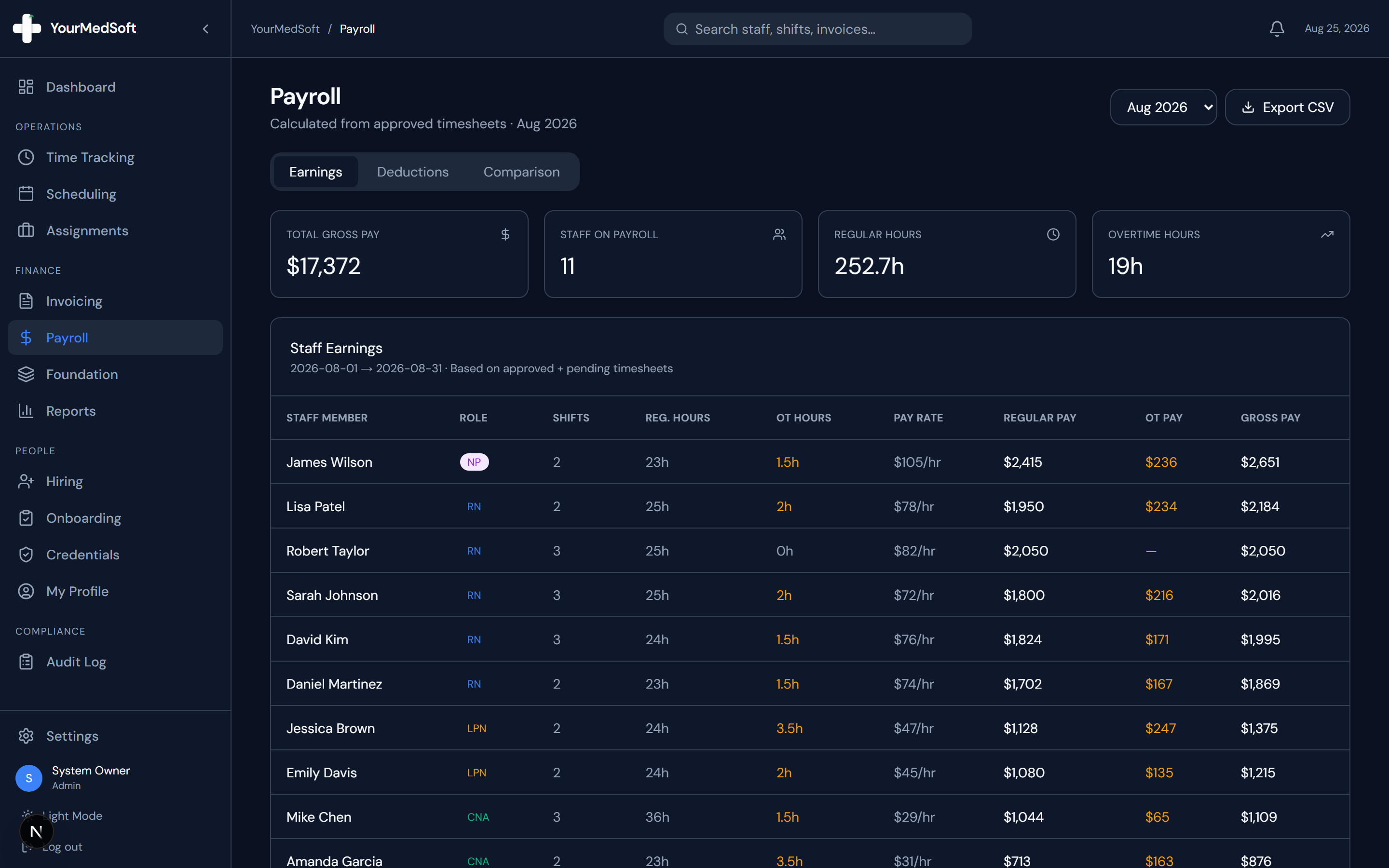
To export payroll to Gusto or ADP in YourMedSoft, navigate to Payroll, select the pay period, click Run Payroll Calculation, review regular and overtime hours, click Export Payroll File, and select Gusto or ADP format for 1-click import.
What You Need Before Starting
- All timesheets for the pay period must be approved and locked.
- Clinician employee IDs should match employee IDs in Gusto or ADP.
Clinical & Regulatory Compliance Standards
- Complies with federal and state wage disbursement recordkeeping mandates.
Step-by-Step Instructions
Calculate Pay Period Hours
Go to Payroll, select the bi-weekly or weekly pay period, and click "Calculate Pay Period".
Review Overtime and Differential Breakdown
Verify regular hours, overtime (1.5x), double-time (2.0x), and shift differential totals for each clinician.
Automate Your Healthcare Staffing Operations
YourMedSoft unifies scheduling, GPS time tracking, credentialing, and facility invoicing into one modern platform for healthcare agencies.
Select Payroll Provider Format
Click "Export Payroll" and select your provider: Gusto CSV, ADP Workforce Now CSV, or Paychex CSV.
Download and Upload to Payroll Provider
Download the formatted file and upload it into your payroll processor dashboard to disburse direct deposits.
Pro-Tips & Best Practices
- Lock the pay period after exporting to prevent accidental timesheet edits from altering historical payroll numbers.
Troubleshooting & Operational Edge Cases
Issue: ADP reports missing employee number error
Operational Resolution: Open the clinician profile under Staff Management and populate the External Employee ID field.
Frequently Asked Questions & Troubleshooting
Does the payroll export separate W-2 wages from non-taxable stipends?
Yes. The Gusto and ADP exports map travel nurse stipends to non-taxable reimbursement columns automatically.
Was this guide helpful?
Your feedback helps us continuously improve our documentation.
Recommended for Payroll & Deductions
Nurse Meal Break Waiver & Attestation Form
Ensure compliance with state labor laws and prevent unbudgeted meal penalty hours.
Gross Margin & Spread Modeler
Calculate exact employer statutory taxes, FICA, FUTA, SUTA, and workers comp burden.
Per Diem Nurse Registry Platform
Automate shift differentials, overtime calculations, and CSV exports for payroll engines.