How do I export clean invoice CSVs for QuickBooks Online and Xero?
Export verified invoices with chart-of-accounts mapping, facility customer names, and invoice line items for seamless import into QuickBooks Online.
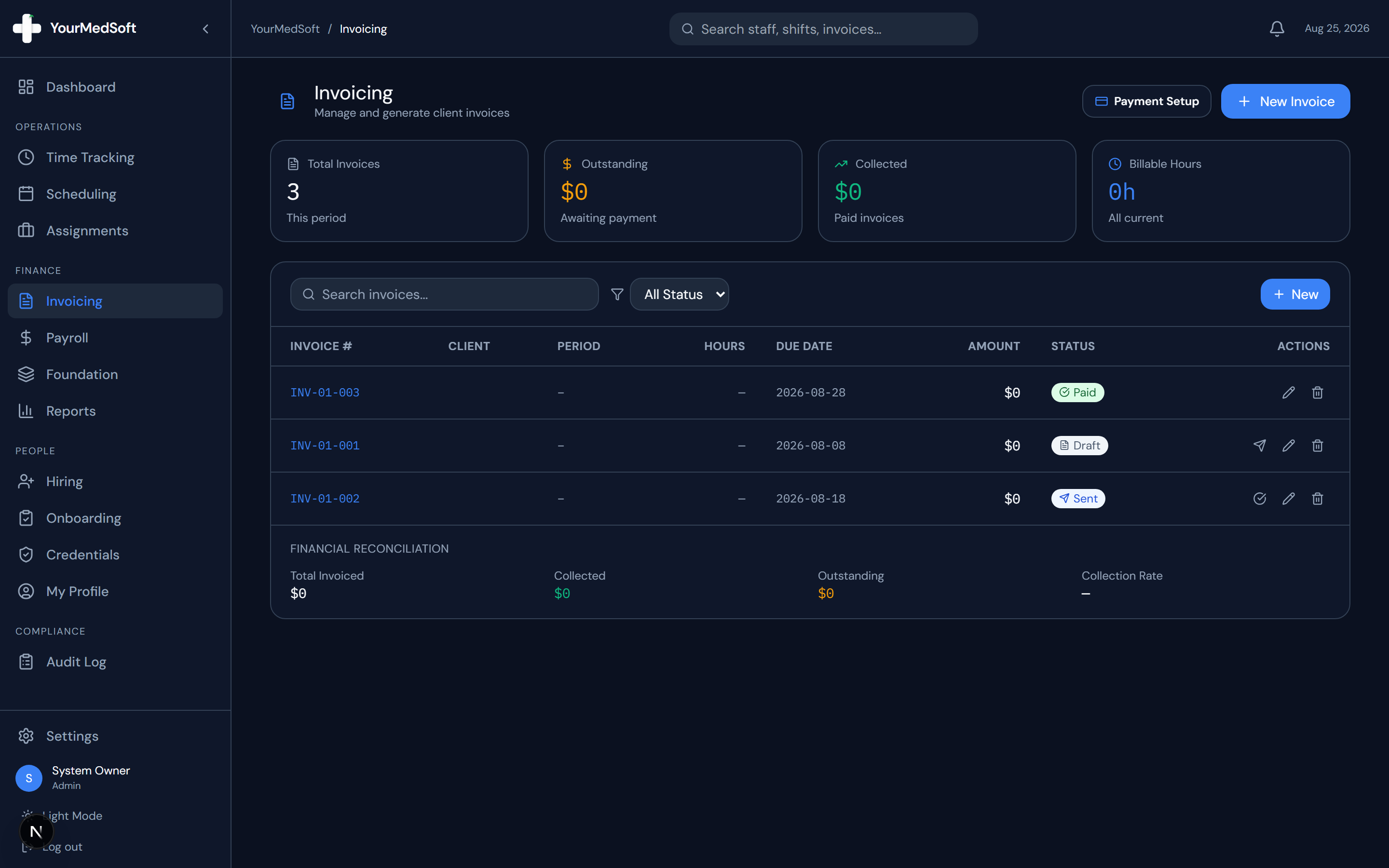
To export invoices to QuickBooks Online in YourMedSoft, open Invoicing, filter by the billing date range, click Export Accounting File, select QuickBooks Online CSV format, and import the generated file directly into QuickBooks Sales > Invoices.
What You Need Before Starting
- Facility customer names in YourMedSoft should match customer names in QuickBooks.
Clinical & Regulatory Compliance Standards
- Standardized double-entry GAAP compliant transaction formatting.
Step-by-Step Instructions
Open Invoicing Batch Queue
From Invoicing, select the invoices you wish to export or filter by status: "Approved / Sent".
Click Export Accounting File
Click "Export" in the header and select "QuickBooks Online CSV" from the format options.
Turn Approved Timesheets into Invoices in 1 Click
Stop spending days reconciling hours. YourMedSoft auto-calculates overtime, applies facility billing terms, and syncs directly with QuickBooks.
Verify General Ledger Mapping
Ensure the export maps to your healthcare staffing revenue account (e.g. 4000 Clinical Staffing Revenue).
Download and Import into QuickBooks
Click "Download CSV". Open QuickBooks Online, navigate to Invoices > Import, and upload the file.
Pro-Tips & Best Practices
- Enable invoice number sync so your QuickBooks invoice numbers match YourMedSoft invoice numbers exactly.
Troubleshooting & Operational Edge Cases
Issue: QuickBooks rejects import due to unrecognized customer name
Operational Resolution: Ensure the facility name spelling in YourMedSoft Foundation matches the customer record in QuickBooks.
Frequently Asked Questions & Troubleshooting
Does the export include credit card or Stripe transaction fees?
Yes. If payments were settled online via Stripe, net proceeds and merchant fee line items are exported.
Was this guide helpful?
Your feedback helps us continuously improve our documentation.
Recommended for Invoicing & Client Billing
Healthcare Facility Master Services Agreement (MSA)
Comprehensive staffing agreement with Net-30 terms, indemnification, and facility rate schedules.
Gross Margin & Spread Modeler
Model VMS transaction fee cuts (2-4%) and facility payment terms on net profitability.
Travel Nursing Staffing Software
Consolidate multi-facility billing with 3-way timesheet matching and 1-click QuickBooks export.