How do I optimize shift profitability with Real-Time Gross Margin Intelligence?
Master real-time spread tracking, configurable employer payroll burden modeling (FICA/FUTA/SUTA/WC), and executive contract margin analytics to protect cash flow and eliminate unprofitable placements.
What You Need Before Starting
- Signed in as an Admin or Coordinator.
- Client facility bill rates and clinician pay rates configured in Foundation or Shift settings.
Step-by-Step Instructions
Activate the Live Margin Simulator
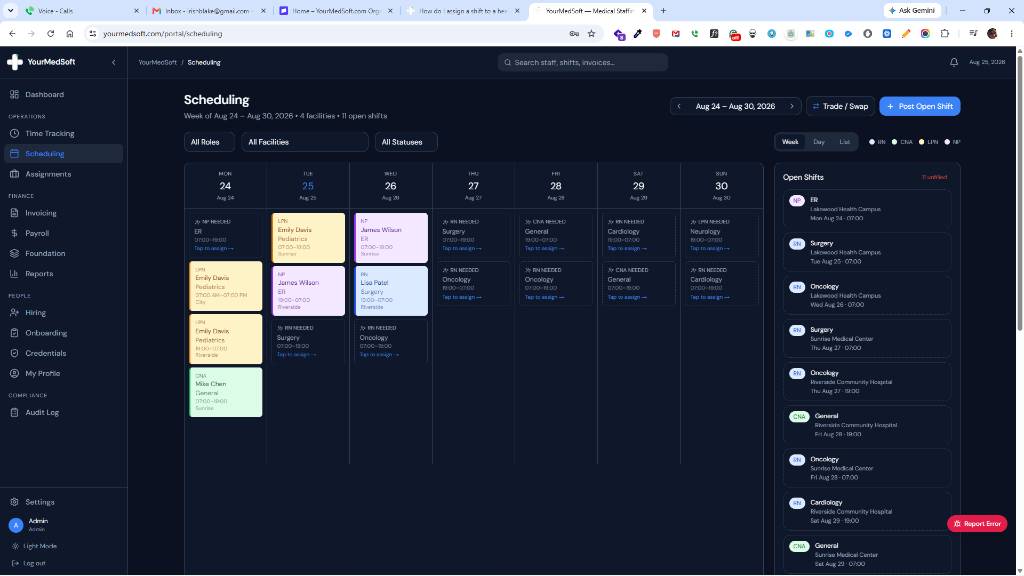
When creating or editing a shift (Scheduling > Post Open Shift), enter the Staff Pay Rate ($/hr or $/visit) and Facility Bill Rate ($/hr or $/visit).
Understand the Color-Coded Margin Health Badges
Review the instant status badge: Emerald indicates healthy operating spreads (≥20%), Amber signals standard margins (10%–20%), and Rose highlights at-risk bookings (<10%) requiring renegotiation.
Review the Executive Gross Margin Dashboard
Navigate to Reports > Margin Analysis to inspect top-line financial KPIs: Total Billed Revenue, Direct Clinician Wages, Employer Payroll Taxes & WC (11%), and Net Agency Gross Profit.
Audit Facility Contract Profitability
Examine the Facility Contract Profitability Table to compare actual gross margins across hospital partners, pinpointing high-margin accounts versus contracts with declining spreads.
Analyze Margin Spread by Clinical Role
Review the Clinical Role Spread Breakdown (RN, LPN, CNA, NP) to determine which licenses generate the strongest return on payroll investment and align recruiting accordingly.
Export Multi-Format Accounting Data
Click "Export" in the report header to download the complete margin dataset in CSV, Excel (.xls), or JSON format for payroll and accounting systems.
Pro-Tips & Best Practices
- Fine-tune the Employer Burden percentage slider (e.g. from 11% to 12.5%) to precisely reflect your state unemployment insurance (SUTA) and workers’ compensation rates.
- Use per-visit margin modeling for Home Health shifts to guarantee physical therapy and nursing visits meet target agency profitability.
Frequently Asked Questions & Troubleshooting
What expenses are included in the default 11% employer burden?
The 11% burden models mandatory federal/state payroll taxes (FICA Social Security 6.2%, Medicare 1.45%, FUTA 0.6%, SUTA ~2.0%) plus general clinical workers’ compensation insurance.
Can I set a minimum required margin percentage for my coordinators?
Yes. The color-coded alert badges provide immediate visual guardrails, and compliance rules can be configured in Foundation to require manager sign-off for margins under 15%.
Was this guide helpful?
Your feedback helps us continuously improve our documentation.